One Platform to Run Your Entire Restaurant
From table to kitchen to doorstep — DineFlow connects your customers, cashier, kitchen, riders and managers in one real-time system, across web, mobile and WhatsApp.
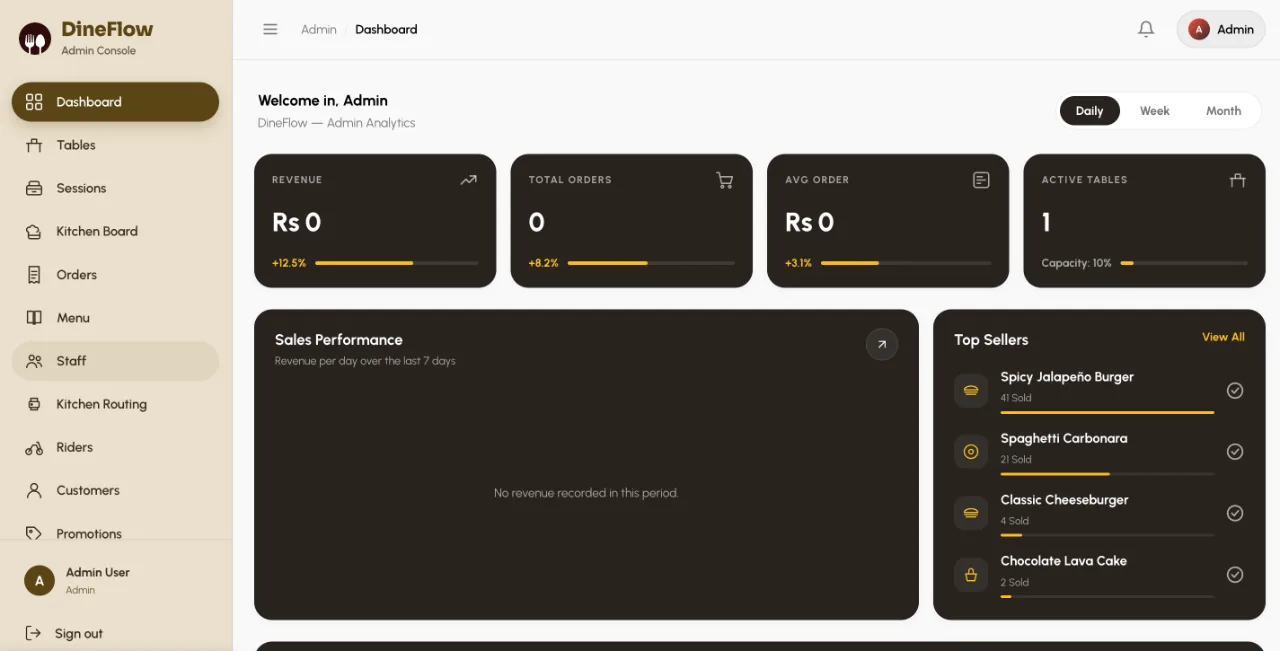
More than a POS — a connected operating system
Every order, from every channel, flows through one unified system in real time. Place it anywhere; the kitchen, cashier, rider and customer all stay in sync.
Customer
Unified ordering system
Operations
Live status
See the dish before you order it
Customers rotate dishes in interactive 3D and use augmented reality to place a life-size plate on their own table — right from the website or app. Appetising, memorable, and proven to lift order confidence.
- Interactive 3D — spin, zoom and inspect every dish
- AR view — preview real portion size on the customer's table
- Works in the browser and inside the branded apps
- Sits beside a normal photo, so every menu still looks great
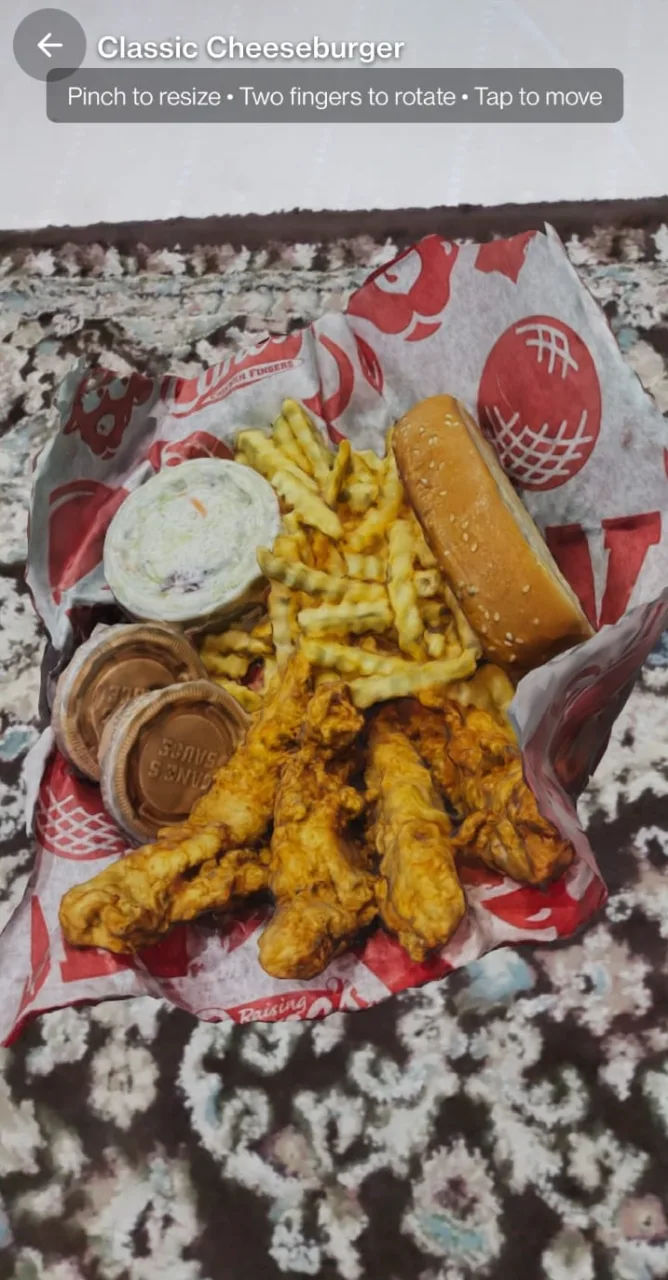
Rotate in 3D, or place a life-size dish on your table with AR.
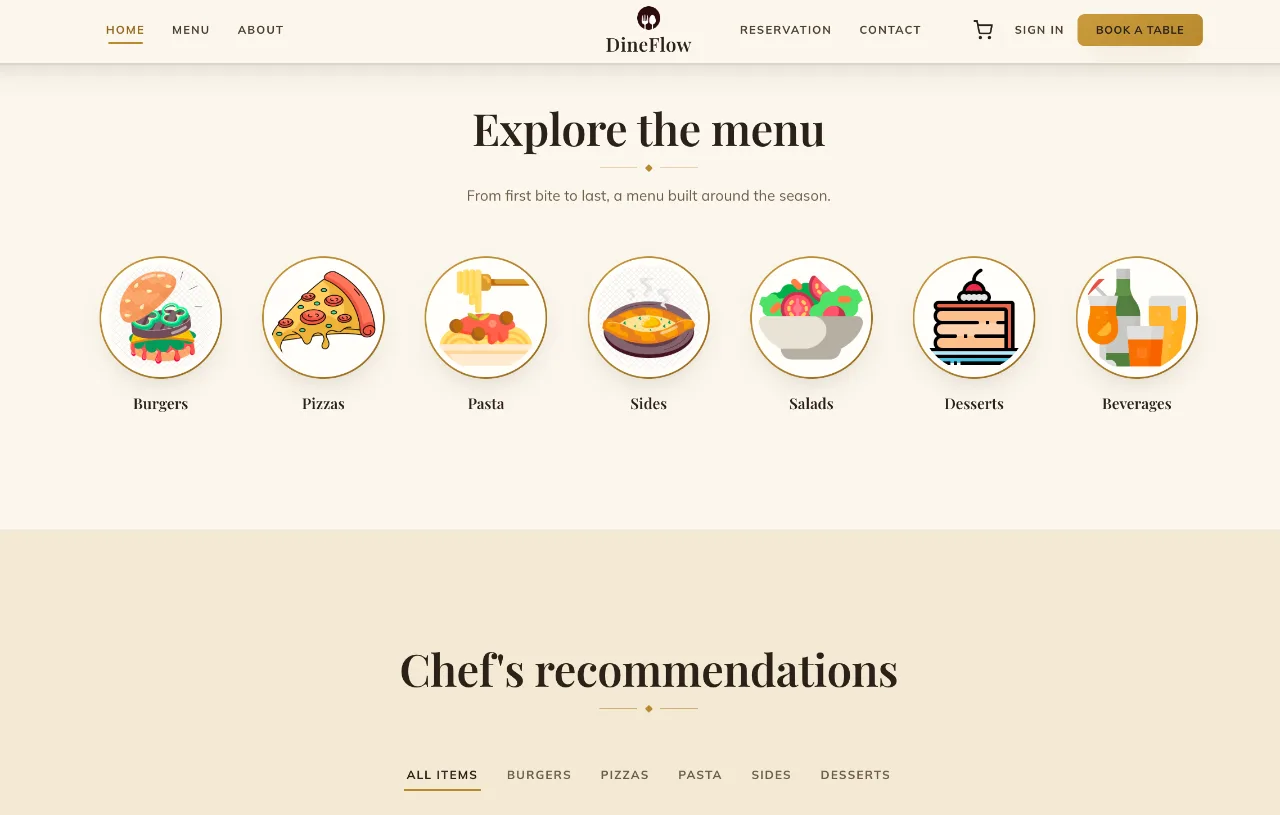
A premium, branded ordering website
A fast, responsive restaurant website your customers actually enjoy using — built around your menu and your brand.
- Menu browsing by category, with search, deals and trending items
- Cart, checkout and branch selection
- Dine-in, takeaway and delivery ordering in one flow
- Live order tracking, reviews and customer accounts
Your own restaurant apps, on every phone
Restaurant-branded mobile apps that keep customers coming back — with the full 3D/AR menu in their pocket.
- Menu, 3D/AR dishes, favourites and deals
- Card or cash-on-delivery payment options
- Push notifications for offers and order updates
- Order tracking and full order history
Every order, one place
Dine-in, delivery, takeaway, website, app, table QR and WhatsApp all feed a single order-management system — so nothing is missed and staff work from one screen.
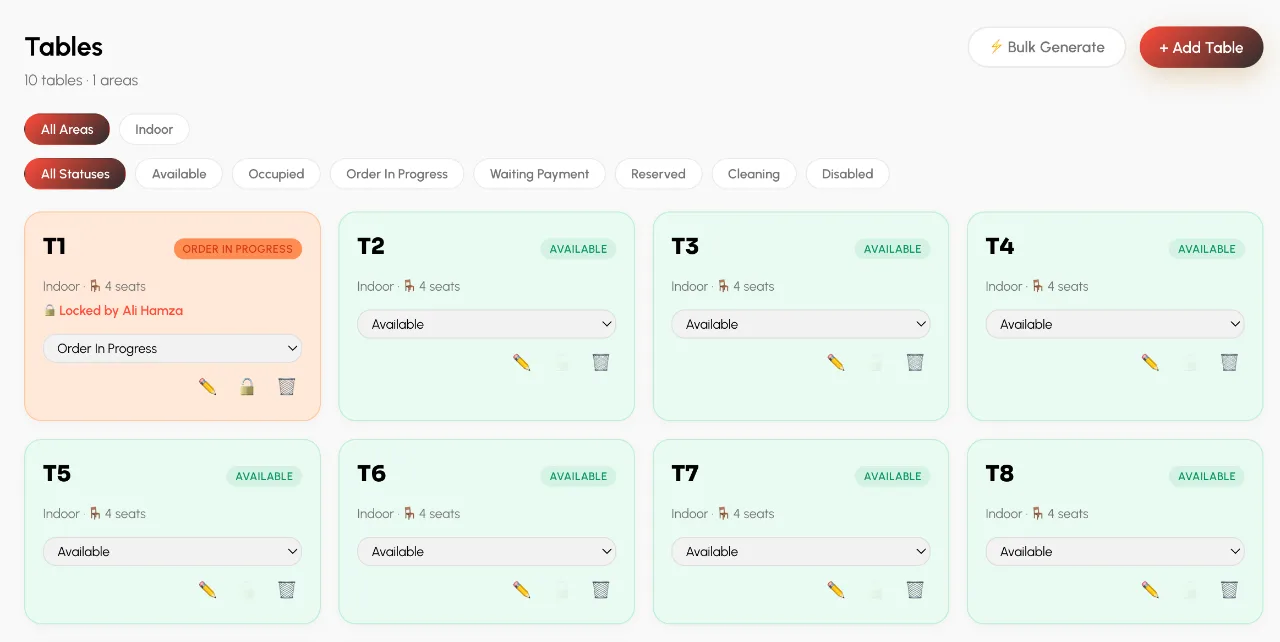
Run the floor without the chaos
Full dine-in management, plus contactless table self-ordering when you want it.
- Table management with live status and reservations or walk-ins
- Table-wise orders — add items during the meal, route straight to the kitchen
- Billing, split and checkout from the table
Table self-ordering
Each table gets a unique QR code — no waiter needed for every order.
Scan
Customer scans the table QR
Browse
Views the live menu on their phone
Order
Places the order from the table
Kitchen
Kitchen receives it instantly
Status
Table & order status update automatically
WhatsApp ordering
Give customers a familiar WhatsApp ordering channel alongside web, app and table — and let your team manage the resulting orders in the same hub.
A kitchen board built for the rush
A large, kitchen-friendly order board with clear states, timers and station routing, so the line always knows what to cook next.
- 2× Zinger Burger
- 1× Loaded Fries
- Note: no jalapeño
just now
- 1× Family Deal
- 2× Pepsi 500ml
1 min
- 1× Alfredo Pasta
- 1× Garlic Bread
6 min
- 3× Chicken Shawarma
- 1× Fries
8 min
- 2× Chicken Karahi
- 4× Roghni Naan
12 min
- 1× Pizza Deal
18 min
Main Kitchen
Mains, grills and curries
Fryer
Fries, wings and fried sides
Drinks / Barista
Beverages, shakes and coffee
Desserts
Sweets and cold desserts
Each station sees only the items it is responsible for — so the fryer isn't reading dessert tickets.
From ready to doorstep, tracked
Assign riders, manage active deliveries and keep the customer informed at every stage.
- Assign the right rider and see every active delivery
- Live stage updates flow to the customer's tracking screen
- Delivery proof / confirmation where configured
Every role, exactly the access it needs
Configurable, role-based permissions — nobody gets the whole system by default. Each role sees only what it needs to do its job.
Owner / Admin
Full control across branches, staff and settings
Branch Manager
Runs a single location end to end
Restaurant Manager
Operations, staff, tables and performance
Cashier
Orders, bills, discounts, payments and daily cash
Order Booker / Waiter
Table orders, item changes, kitchen routing
Kitchen Manager / Chef
Kitchen board, stations and prep flow
Kitchen Staff
Station tickets and item status
Fryer Station
Only fryer items on the board
Drinks / Barista
Only beverage items on the board
Rider / Delivery
Assigned deliveries and stage updates
Cashier / POS
- Receive orders and create manual orders
- Dine-in and takeaway bills, discounts and payment methods
- Receipts, order adjustments and daily cash activity
Order Booker / Waiter
- Create table orders and select customers/tables
- Add or modify items during the meal
- Send orders to the kitchen and follow prep status
Manager
- Monitor tables, kitchen, orders and staff
- Promotions, inventory and sales performance
- Branch performance at a glance
One owner account, every location
Manage all your restaurants from a single account, with an all-branches overview for management.
- Branch-specific staff, menus and pricing where configured
- Per-branch orders, tables, reports and performance
- All-branches overview for owners and management
- Real-time across every location
All-branches overview
Product screenshot
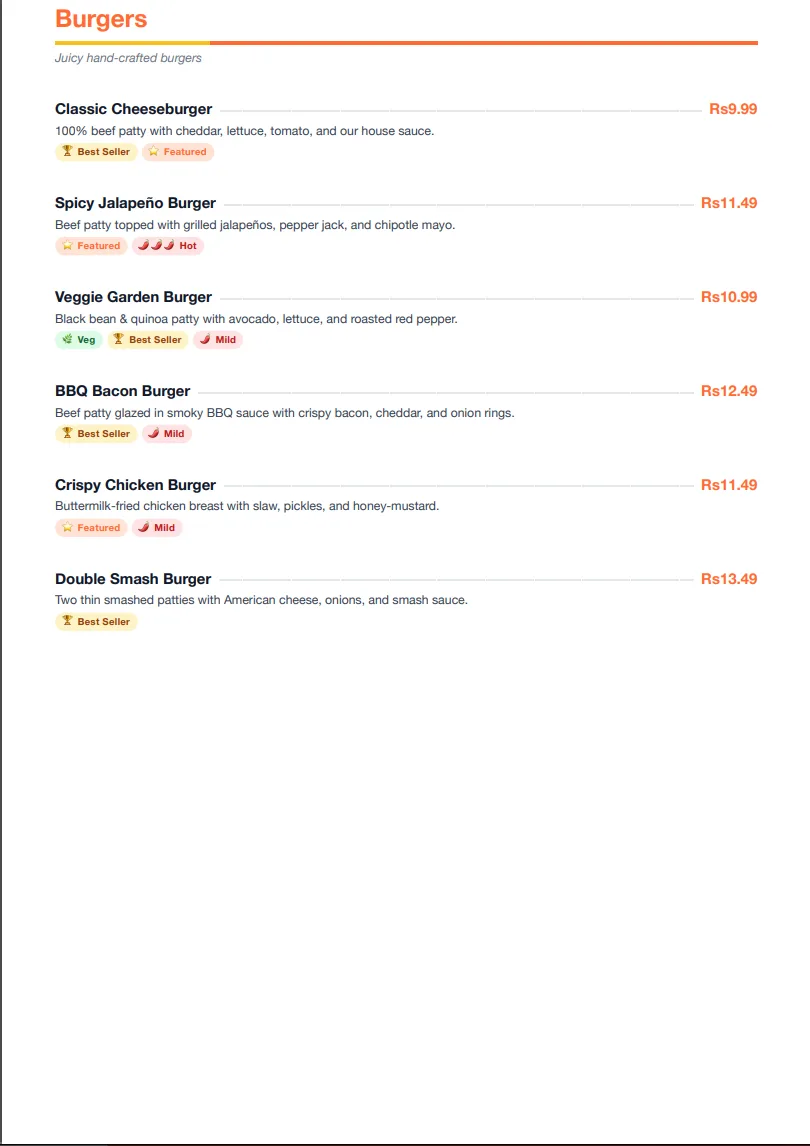
Update once, publish everywhere
Manage the whole menu from Admin — categories, products, variations and add-ons, images, prices, descriptions, deals and availability — then generate a professionally designed digital menu from the same data. Change an item once and the website, apps and digital menu all reflect it.
Menu builder
- Categories, products, variations and add-ons
- Images, prices, descriptions and availability
- One source of truth for web, app and digital menu
Deals & promotions
- Percentage or fixed discounts
- Meal deals and bundles
- Featured and trending products
- Coupons and scheduled campaigns
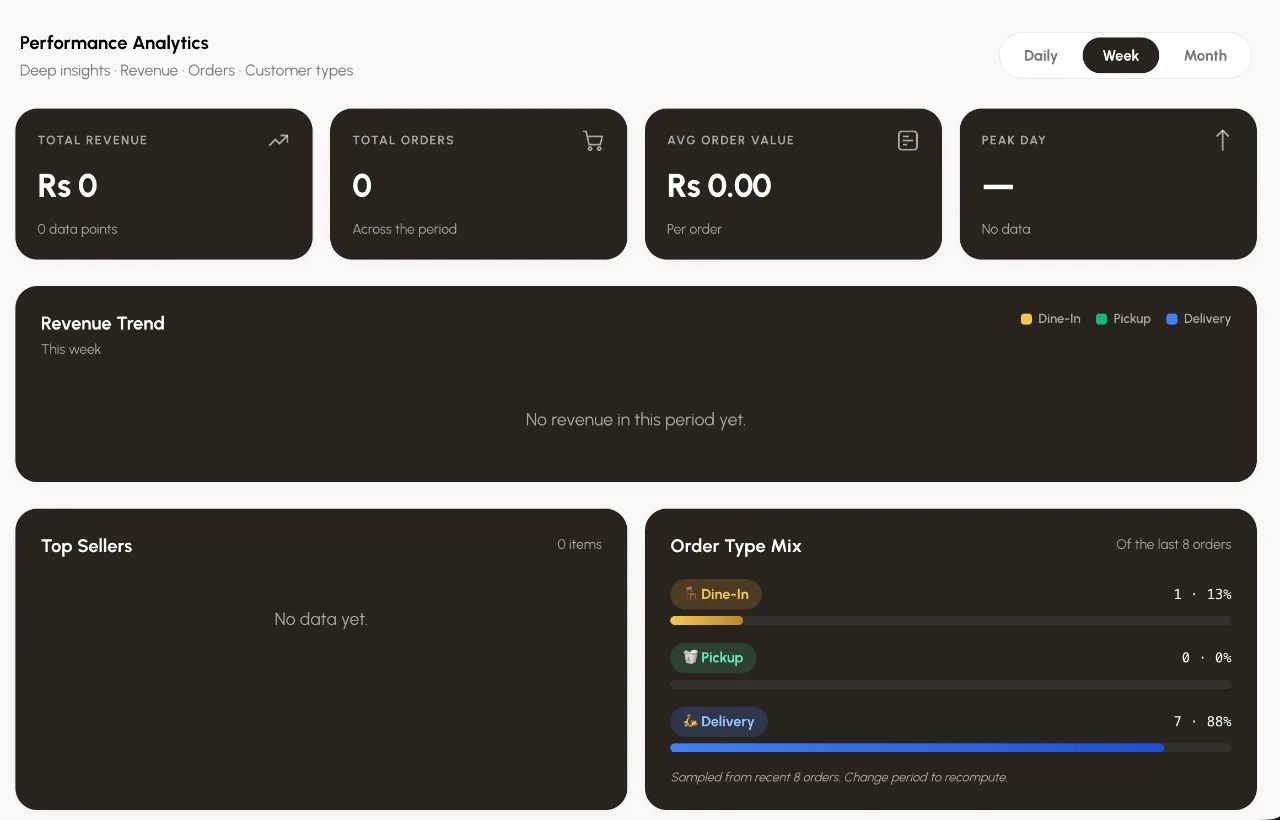
Know your numbers, in real time
A live view of the business — today's performance and the trends behind it.
Frequently asked questions
What is DineFlow?
DineFlow is the Restaurant Management System by AHK Studios — an all-in-one platform that connects your customer website and apps, dine-in and table ordering, cashier/POS, kitchen display, delivery, staff and multi-branch management in one real-time system.
Which ordering channels does it support?
Dine-in, takeaway and delivery — placed from your website, Android and iOS apps, a table QR code, or WhatsApp. Every channel feeds one central order hub your team works from.
How does table self-ordering work?
Each table has its own QR code. The customer scans it, browses the live menu, and places the order from their phone. The kitchen receives it instantly and the table and order status update automatically — no waiter required for every order.
What is the 3D & AR menu?
Customers can rotate dishes in interactive 3D and use augmented reality to preview a life-size dish on their own table, from the website or the apps — shown alongside a normal photo of each item.
Can I control what each staff member can do?
Yes. Roles — owner/admin, branch and restaurant managers, cashier, order booker/waiter, kitchen manager and staff, individual stations, and riders — each have configurable permissions, so people only access the parts of the system they need.
Can I run more than one branch?
Yes. One owner account manages multiple locations, each with its own staff, menus/pricing where configured, orders, tables and reports, plus an all-branches overview for management.
How do menu updates reach the website and apps?
You manage the menu once in Admin. Prices, items, availability, deals and images publish to the website, the apps and the digital menu from the same data — update once, publish everywhere.
From table to kitchen to doorstep — on one platform
Book a walkthrough and we'll show you how DineFlow fits your restaurant.