ZarSuite
Complete Jewelry Business Management with Smart Inventory, Billing & Analytics
A complete jewelry management solution featuring inventory control, sales & purchase invoices, customer and supplier ledgers, staff salary management, barcode billing, customizable invoices with your company branding, business analytics, and real-time reporting to help you run your jewelry business efficiently.
What is ZarSuite?
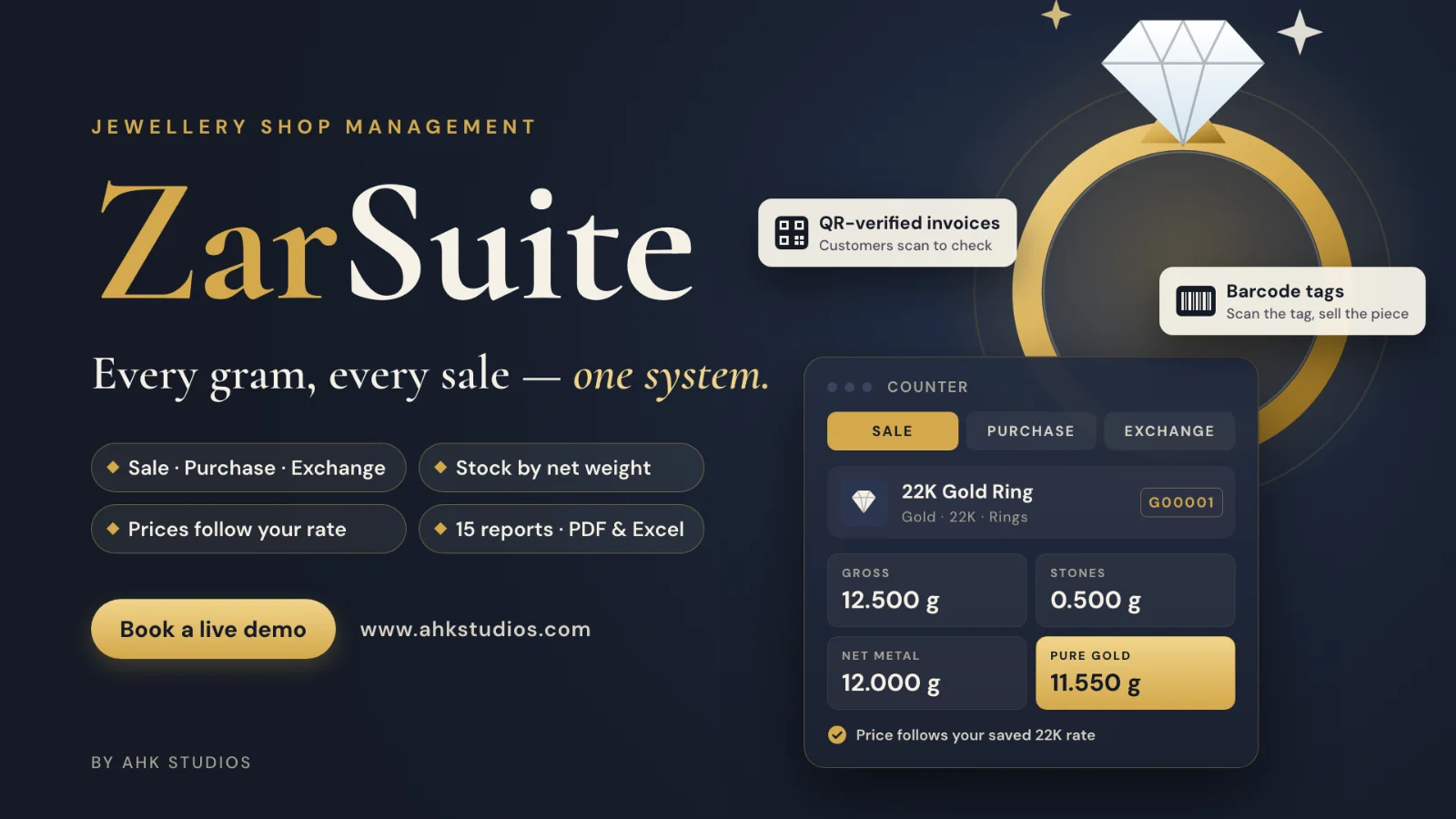
ZarSuite (the Jewellery Inventory System by AHK Studios) is a web-based jewellery shop management system. It runs the counter — sales, purchases and old-gold exchanges — keeps every piece of stock by metal, purity and net weight, reprices stock from the gold and silver rates the shop saves while leaving the purchase cost untouched, and covers cash, bank and customer credit (udhaar), staff permissions, salaries, multiple shops and 15 ready-made reports. It works in the browser on phone, tablet and desktop.
Get started
Subscribe online — secure checkout by Paddle.
Point of sale
One counter. Three ways to trade.
Sale, Purchase and Exchange sit side by side at the top of the counter screen — large, colour-coded tabs, so staff always know which mode they are in.
Sale
Scan a tag or search the stock. The price comes from the piece; discount, tax and extra charges are added on the same screen. Paid in cash, by bank, or on credit.
Purchase
Buy from a supplier or a walk-in customer. Not in stock yet? Choose “Continue with new item”, describe it, and it is created, tagged and linked to the invoice only when the purchase saves — walk away and nothing is created.
Exchange — old for new
The customer hands over old gold, silver, platinum, diamond jewellery or any other material. It is valued by weight, purity, kaat and your buying rate — or an agreed value — goes straight into stock, and only the difference is paid, either way.
Extra invoice charges
Box or packaging, delivery, service — or a line you name yourself — with quantity and amount, added to the total and printed as separate lines on the invoice.
Invoices customers can verify
Every PDF invoice carries a QR code. Customers scan it with a phone camera and see the invoice online — no app, no login. A voided invoice shows as voided.
Scan the tag, sell the piece
A USB or Bluetooth barcode scanner adds the exact piece to the bill.
Cash, bank or udhaar
Take full or part payment. Balances settle later and each customer's ledger updates itself.
Jewellery calculator
Quote any gold or silver piece from weight, purity, your rate, wastage, making charges (per tola, per gram, % or fixed), stones, discount and tax.
Jewellery inventory
Stock that knows its metal.
Every piece is recorded the way a jeweller thinks about it — metal, purity, weight and stones — so your stock and its value are always exact.
Every metal, every purity
Gold 24K, 22K, 21K, 18K and 14K; silver, platinum and palladium by fineness; diamond jewellery and other materials. Pieces or bulk lots, stock or customer orders.
Stones and charges in detail
Carats, rate, colour, cut and clarity for each stone. Making, goldsmith and lacquer charges per piece.
Photos and weighing scale
Several photos per piece, straight from the phone camera. “Get Weight” reads a USB scale in Chrome or Edge.
Printable tags
Automatic tag numbers (G00001…), Code 128 barcode or QR, five label sizes — from the 72 × 13 mm jewellery tail tag to a full A4 sheet.
Shop, tray and supplier
Every piece knows its branch, tray and supplier. Moving it to another shop is recorded on both sides.
Every change on record
Quantity, weight or shop changes keep who, when, the value before and after, and why — physical count, damaged, lost or corrected.
Alerts before you run out
Set minimums per category, or per metal and purity. Low and out-of-stock lines are flagged.
Moving from registers or Excel?
Bring existing stock in from a ready-made Excel template — no retyping piece by piece.
Item view
Every piece, fully explained.
Open any piece and see what it is, what it weighs, what it cost, what it is worth at today's rate and what it would earn — with its full history underneath.
Example piece · illustrative figures
22K Gold Ring with stones
Printed tag — barcode or QR, five label sizes
Specifications
- Item type
- Gold · stock piece
- Category
- Rings
- Shop / tray
- Main branch · Tray 3
- Purity
- 22K (ratti 8)
- Gross weight
- 12.500 g
- Stones
- 0.500 g · 2.50 ct
- Net metal
- 12.000 g
- Wastage
- 0.600 g
- Pure gold
- 11.550 g
- Making charges
- Rs 18,000
- Stone value
- Rs 12,500
- Margin
- Rs 10,000
Current value
Rs 387,085
- Purchase cost
- Rs 357,280
- Today's sell rate · 22K
- Rs 320,833 / tola
- Net metal weight
- 12.000 g
- Current metal value
- Rs 346,585
- Making & other charges
- Rs 40,500
- Current selling price
- Rs 387,085
- Profit over cost
- Rs 29,805 · 7.7%
Repriced 15 Sep, 10:12 when the 24K rate was saved at Rs 350,000 / tola (was Rs 330,000): Rs 367,280 → Rs 387,085. The purchase cost didn't move.
Stock history
- 12 Aug · 11:40Stocked from a purchase invoice (+1 piece)Owner
- 03 Sep · 16:05Weight corrected 12.520 → 12.500 g — reason: data correctionStaff
- 09 Sep · 13:30Moved from Mall branch to Main branchOwner
- Purchase cost, today's rate for its purity, net weight, metal value, charges, selling price and profit — on one screen.
- A “Follows rate” or “Fixed price” badge, and a note whenever a rate change repriced the piece.
- Print its tag, correct its stock with a reason, or move it to another shop from the same page.
Rate-linked prices
Prices that follow your metal rate.
Enter today's rate once. Every piece priced from it updates itself — and the price you paid never changes.
One rate, every karat
Save buying and selling rates per metal and purity. Save 24K and 22K, 21K and 18K follow in proportion (22/24, 21/24, 18/24) — or set each purity yourself.
Stock reprices itself
When a saved rate changes, every piece priced from it moves: its metal (net + wastage, at its purity) is revalued; making, stones and your margin carry over.
Cost never moves
The purchase cost stays exactly as bought, so purchase history and profit stay exact. Lock any piece to a fixed price and it ignores rate changes.
Full rate history
Metal, previous rate, new rate, who changed it, date and time — and how much stock each change repriced. The Stock Revaluation report shows the gain or loss.
Money, staff & shops
The rest of the business, handled.
The counter and the stock are only half of a jewellery business. ZarSuite keeps the money, the people and the branches in the same place.
Cash, bank & udhaar
Cash book, bank lines and pending amounts. Void an invoice and its money is reversed automatically.
Customer & supplier ledger
Every invoice, payment and balance per person, with a printable statement.
Staff permissions
The owner decides, per staff member and per module, who can create, view, edit, delete, export or approve.
Salary & advances
Monthly salaries, advances against salary, and printable salary slips.
Many shops, one owner
Each branch keeps its own stock. Every report filters by shop — or shows them all.
Any invoice in seconds
Find old invoices by number, customer or date range — and print them again.
Live dashboard
Sales, purchases and stock at a glance, with charts.
AI voice entry (optional add-on)
Speak an entry and it is written for you.
Security built in
Each business's data is kept apart. Login lockout, short-lived sessions and an audit log of every change.
Any device, your time zone
Runs in the browser on phone, tablet and desktop. Dates follow your shop's time zone — a late-night sale is never filed under yesterday.
Reports & insights
15 reports. Answers in one tap.
The dashboard opens with quick summary cards — gold by karat, silver, stock value, today's sales and purchases, and credit owed. Tap a card to open the full report. Every report filters by date, shop, metal, purity, category, item and staff, and exports to CSV or PDF.
Stock
Metal Stock Summary
Gold, silver, platinum, palladium — net metal weight by purity.
Purity / Karat Stock
Pieces, gross, stone and net weight, and value, per purity.
Jewellery Category Stock
Rings, chains, sets and your own categories.
Current Stock
Every piece with purity, weights, cost and today's value.
Stock Valuation
At cost, at tag price, and metal at your buying rate.
Stock Revaluation
What the latest rate change did to stock value.
Low / Out of Stock
Pieces, categories and purities under their minimum.
Dead / Slow-Moving Stock
Unsold 30 to 365 days — and the money it ties up.
Sales, purchases & exchanges
Sales Report
By day, week, month or year — by metal, purity, category, shop or staff.
Purchase Report
What was bought, from whom, and what is still owed.
Exchange / Old Jewellery
Old items in, new items out, and the difference paid.
Profit & Margin
Sale − cost − discounts, by item, category, metal, shop or staff.
Money
Cash / Bank / Credit
Money in and out, balances, and who still owes.
Stock control
Stock Movement
Opening, added, removed, closing — and what caused each.
Stock Adjustment / Audit
Every manual change — who, when, how much and why.
Getting started
Ready when you are.
Three steps from the first call to your first sale.
- 1
Book a live demo
We walk you through ZarSuite using the kind of stock you sell.
- 2
We set you up
Shops, rates, categories and staff — and your existing stock imported from Excel.
- 3
Print tags, start selling
Tag your pieces, open the counter screen and make the first sale.
Documents & downloads
Brochure
Frequently asked questions
What is ZarSuite?
ZarSuite is the Jewellery Inventory System by AHK Studios — web-based software for jewellery shops. It covers the point of sale (sales, purchases and old-gold exchanges), jewellery stock by metal, purity and net weight, prices linked to the shop's own metal rates, cash, bank and customer credit, staff, multiple shops and 15 reports.
Which metals and purities does it support?
Gold in 24K, 22K, 21K, 18K and 14K; silver (999, 925, 800), platinum and palladium by fineness; diamond jewellery; and any other material, which can be valued by weight or an agreed amount.
How does it work out the weight of a piece?
Gross weight minus stones gives net metal; net plus wastage gives the total; the pure weight follows from the purity (ratti). It is worked out live as you type and shown in grams and in tola, masha and ratti.
Do prices update when the gold rate changes?
Yes, from the rate your shop saves. When you save a changed buying or selling rate, every piece priced from it is repriced at its own purity — making, stones and margin carry over — while its purchase cost never changes. Pieces set to a fixed price are left alone. The live market rates on the dashboard are for reference only and never change a price.
Can customers exchange old gold for new jewellery?
Yes. An exchange invoice takes back old gold, silver, platinum, diamond jewellery or any other material, values it by weight, purity, kaat and the shop's buying rate (or an agreed value), adds it to stock, and settles only the difference — either way, including on credit.
Can I buy a piece that isn't in my stock yet?
Yes. In Purchase mode, search for it and choose “Continue with new item”, then enter its details. The stock item is created, tagged and linked to the purchase invoice only when the purchase is saved; if you abandon the purchase, nothing is created.
Does it work with barcode scanners, tag printers and scales?
Yes. USB or Bluetooth barcode scanners add pieces at the counter; tags print with automatic numbers as Code 128 barcodes or QR codes in five label sizes, from the 72 × 13 mm tail tag to an A4 sheet; and “Get Weight” reads a USB weighing scale in Chrome or Edge.
What reports are included?
Fifteen: metal stock summary, purity/karat stock, category stock, current stock, stock valuation, stock revaluation, low/out of stock, dead/slow-moving stock, sales, purchases, exchanges/old jewellery, profit & margin, cash/bank/credit, stock movement and the stock adjustment audit. All filter by date, shop, metal, purity, category, item and staff, and export to CSV or PDF. Metal is always counted by net weight.
Can I run more than one shop?
Yes. Each branch keeps its own stock, moving a piece between shops is recorded on both sides, and every report can be filtered by shop or show all shops together.
Can I control what my staff can do?
Yes. The owner sets permissions per staff member for each module — sales, purchases, inventory, customers and suppliers, reports and finance — and for each action: create, view, edit, delete, export and approve. Staff salaries and advances are tracked too.
Can my customers check that an invoice is genuine?
Yes. Every invoice PDF carries a QR code; scanning it with a phone camera opens the invoice online without an app or login. A voided invoice is shown as voided.
Does it work on a phone?
Yes. ZarSuite runs in the browser on phones, tablets and desktops, so there is nothing to install, and your records are kept online rather than in a register that can be lost.
Can I bring in my existing stock?
Yes. Existing stock can be imported from a ready-made Excel template, so pieces don't have to be retyped one by one. We help set this up when you start.
How do I get started?
Book a live demo with AHK Studios. We walk you through ZarSuite with the kind of stock you sell, set up your shops, rates, categories and staff, import your stock, and you can print tags and start selling.
See ZarSuite in action
Book a walkthrough and we'll show you how ZarSuite fits your business.